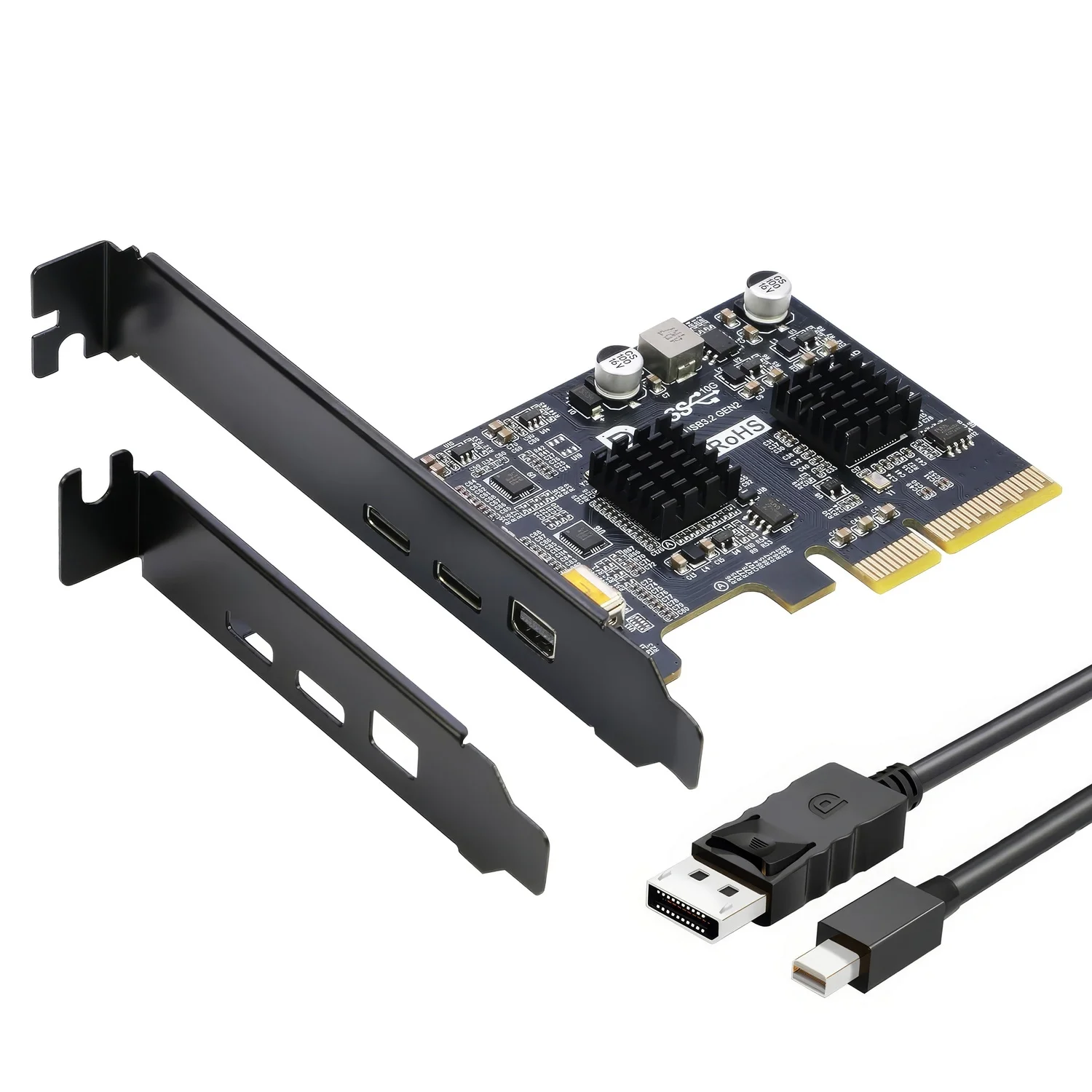
The Simplecom EC365 is a PCIe x4 expansion card that adds two USB-C ports to your desktop, with one port supporting DP Alt Mode for simultaneous 10Gbps data transfer and video output up to 4K@60Hz. It is an easy way to connect modern USB-C peripherals, monitors and docking stations to your PC.
Key Features
- 2-port USB-C expansion card with mini DisplayPort input for video passthrough to USB-C
- One USB-C port supports DP Alt Mode with simultaneous data and video output
- mini DisplayPort input supports video input resolutions up to 4K@60Hz
- Compatible with USB-C docking stations with video output capability
- Supports direct connection to USB-C monitors
- USB-C video output supports resolutions up to 4K@60Hz
- PCIe x4 interface, also compatible with PCIe x8 or x16 slots
- USB 3.2 Gen 2 interface supports data transfer rates up to 10Gbps
- Built-in over current protection on each USB port
- Powered by PCIe, no external power required
- Built-in PCIe 12V to 5V modules provide power to the USB ports
- Plug and play for Windows 10 and later
Specifications
- PCIe Interface: PCIe 3.0 x4, compatible with PCIe x8 or x16 slots
- USB Standard: USB 3.2 Gen 2, up to 10Gbps
- Ports: 1 USB-C (data only), 1 USB-C (data and video), 1 mini DisplayPort (input)
- USB Power Output: 5V/2A
- Video Input Resolution: Up to 4K@60Hz (via mini DisplayPort)
- Video Output Resolution: Up to 4K@60Hz (via USB-C with DP Alt Mode)
- Power Source: Integrated PCIe 12V to 5V module
- OS Support: Windows 10 and later
What's in the Box
- 1x PCIe Expansion Card
- 1x Low Profile Bracket
- 1x mini DisplayPort to DisplayPort Cable
Important Notes
- The mini DisplayPort port functions as a video input only.
- The mini DisplayPort port must be connected to the DisplayPort output on your motherboard or graphics card; the video signal will then pass through to the USB-C 2 port.
- This expansion card does not include a graphics processor; the USB-C video output is passed through from the mini DisplayPort input port.
- The USB-C 1 port supports data transfer only and does not support video output.
- If you plan to connect the mini DisplayPort port to the DisplayPort on your motherboard, please ensure your CPU has integrated graphics.